Skip to content
Players

IPTV Pro Smart Player — The Premium IPTV App for Android Power Users

·6 min read
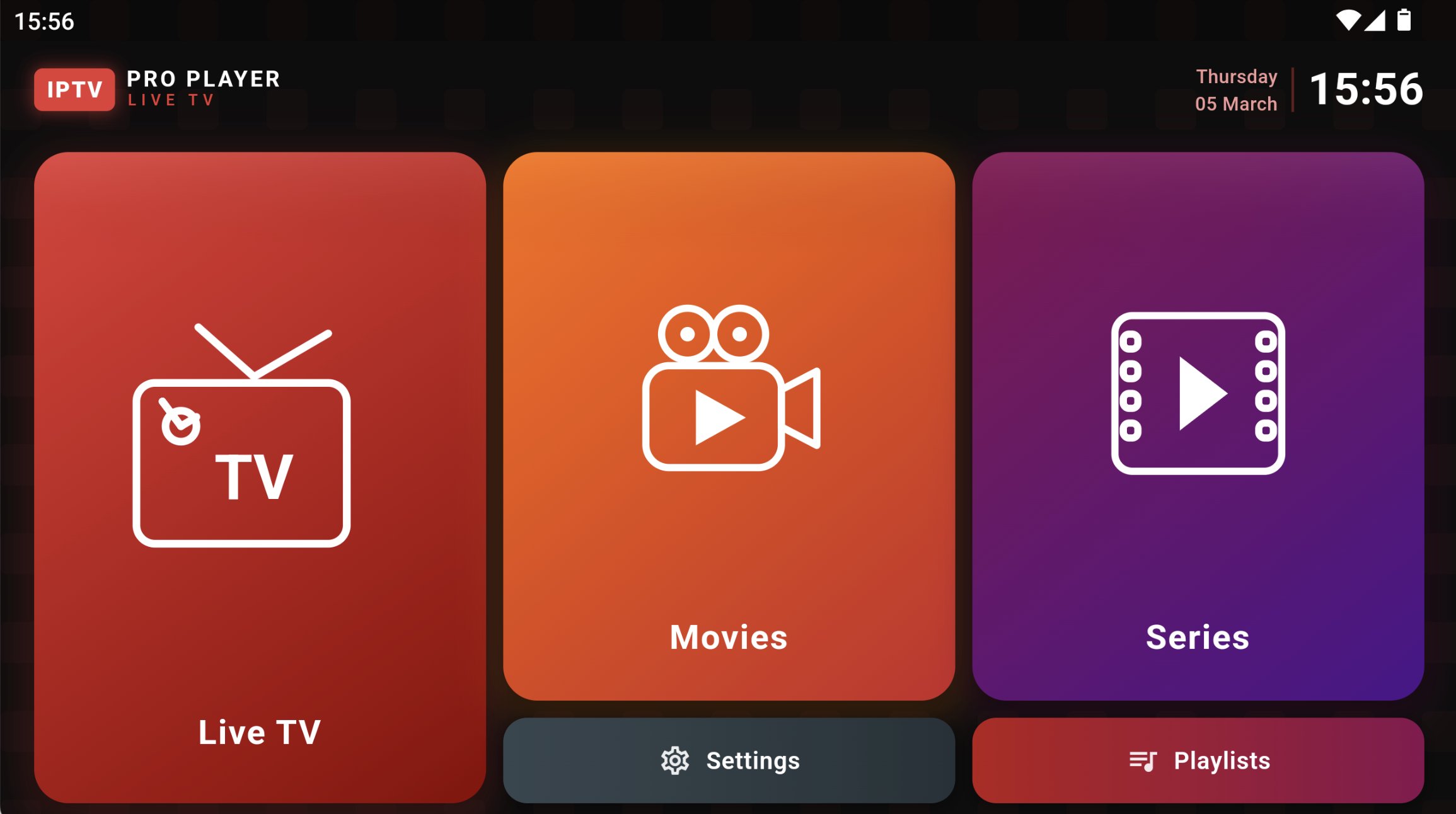
IPTV Pro Smart Player interface on Android smartphone

IPTV Pro Smart Player is a high-performance IPTV app designed for Android users who want advanced features, fast channel switching and a sleek modern UI.

IPTV Pro Smart Player is a premium IPTV application built specifically for Android devices. Unlike free IPTV apps that come with ads and limited features, IPTV Pro Smart Player delivers a clean, ad-free experience focused on speed, reliability, and advanced functionality. The app has built a loyal following among Android TV and Fire TV Stick power users who want a no-compromise IPTV experience.

The app supports all standard IPTV formats including M3U URLs, Xtream Codes API, and direct stream URLs. Channel switching is significantly faster than most competitors thanks to a custom buffering engine that pre-loads streams in memory. For users with large channel lists (5,000+ channels), IPTV Pro Smart Player handles the load smoothly without lag or memory issues. The developer has tuned the player to use minimal RAM, which is a major advantage on older Android boxes and low-spec Fire TV Sticks.

The modern interface is built using Material Design 3, with smooth animations, dynamic colour theming based on the current channel's logo, and a fully customisable home screen. Users can pin favourite channels, recent channels, and category shortcuts to the home screen for one-click access. The EPG view supports up to 14 days of programming data, and the catch-up TV feature lets you rewind live broadcasts by up to 7 days. The EPG also integrates with Trakt.tv for users who track their viewing history across apps.

IPTV Pro Smart Player also includes advanced features like multi-screen viewing (watch up to 4 channels simultaneously on supported devices), picture-in-picture mode, audio track selection, subtitle support, and parental controls. A one-time purchase unlocks the full app, with no subscriptions or in-app purchases. For Android power users who want a premium IPTV experience, IPTV Pro Smart Player is one of the best options in 2026.

The app also includes a built-in speed test, network diagnostics, and a stream health monitor that alerts you when a source is buffering or offline. For users with multiple IPTV subscriptions, IPTV Pro Smart Player supports an unlimited number of playlists and switches between them with a single button press on the remote. Combined with a sleek interface, fast performance, and zero ads, IPTV Pro Smart Player delivers one of the best user experiences available on the Android platform today.

One unique feature of IPTV Pro Smart Player is its cloud sync option, which lets users back up their playlists, favourites, and EPG mappings to the cloud and restore them on a new device with a single tap. For users who frequently switch between phones, tablets, and Android TV boxes, this is a major time saver. The developer also publishes a public roadmap, actively solicits user feedback, and ships new features every 4 to 6 weeks. Combined with the lifetime licence model, this makes IPTV Pro Smart Player one of the most future-proof paid IPTV apps on the Play Store. For users who want even more control, IPTV Pro Smart Player exposes an API that allows advanced users to script custom workflows, integrate with home automation systems like Home Assistant, or trigger recordings based on external events. This level of extensibility is rare in IPTV apps and is one reason the app has a small but very loyal following among technical users. Whether you are a casual viewer who just wants a beautiful, fast IPTV app, or a power user who needs every advanced feature imaginable, IPTV Pro Smart Player delivers on both fronts.

Extended: choosing the right IPTV player (performance + experience)

Att välja IPTV-spelare påverkar både stabilitet och hur enkelt det är att använda din kanalguide.

### 1) Performance matters En spelare som är “snygg” är inte alltid “snabb”. På långsammare enheter kan tung guide-laddning orsaka lagg.

Regel: - Hellre stabil än överdrivet avancerad på äldre hårdvara.

### 2) Guide (EPG) experience En bra EPG ger: - snabb sökning - smidiga programbyten - bättre tidsnavigation

### 3) Playlist flexibility Välj en spelare som stödjer: - M3U - Xtream Codes - flera spellistor

### 4) UX for remote controls Om du använder TV/Stick: fjärrkontrollvänlig navigering är avgörande.

Kolla: - stora knappar - tydlig typografi - snabb response när du byter kanal

---

## Practical recommendations - Fire TV Stick: välj en spelare som ger stabil guide och snabba byten. - Android TV: välj en som kan hantera EPG effektivt. - Set‑top box: välj lightweight.

---

## Final note Testa först i 15–30 minuter. Byt inte allt samtidigt. Om något känns långsamt, justera en faktor i taget.

FAQ (quick answers)

### Do I need a VPN for IPTV? Not always. Many users stream without a VPN, but in some regions ISPs apply throttling or blocking to certain routes. If your IPTV stream starts buffering, try testing without a VPN first. If it’s unstable, then a reputable VPN can help by improving routing quality.

### What is the best internet speed for IPTV? For most households, 25–50 Mbps is enough for a smooth experience. Higher-quality 4K streams need more bandwidth and a stable connection. If you share the connection with gaming or video calls, consider upgrading your plan or moving to Ethernet.

### Why does my IPTV disconnect after 10–30 minutes? Common causes are DNS issues, router power-saving modes, or an unstable Wi‑Fi signal. Try switching DNS to 1.1.1.1 and 8.8.8.8, disable Wi‑Fi power saving, and reboot both your router and the streaming device.

### How can I reduce buffering? Use Ethernet when possible. If you must use Wi‑Fi, move the device closer to the router, reduce interference (2.4 GHz vs 5 GHz tuning), and ensure your router isn’t overheating.

### What player should I use? Use a player that matches your device: - Fire TV Stick: TiviMate, Downloader + compatible IPTV player. - Android TV / Shield: TiviMate or OTT Navigator. - Older phones / set‑top boxes: Perfect Player or Smarters Pro.

### Is this guide only for Fire TV Stick? This guide is tailored for Fire TV Stick when installing the Downloader app and sideloading a player APK. The networking troubleshooting notes apply broadly to other devices too.

---

## Summary If you follow the steps carefully—install Downloader, enable “Apps from Unknown Sources”, enter the correct APK URL, and confirm your player credentials—you’ll usually be streaming in under 10 minutes. And if anything goes wrong, the troubleshooting section above is designed to help you fix it quickly.